


Club Leader Onboarding!!
CONGRATULATIONS!!
Thank you for answering the call to serve as a Club Leader!
Whether this is your first year, or your twentieth, we’re here to help you prepare for a successful year of ministry.
Don’t worry about learning everything today. We’ll guide you one step at a time.
👇LET’S GET STARTED👇
STEP 1. Church Board Approval & Charter Application
The Club Director must first be officially approved by the local church board. The signed Charter Application with the information of the current club leaders is signed by the church board members and needs to be send to the Conference: Youth@wc.npuc.org
- Adventurer Charter Application – English / Español
- Pathfinders Charter Application English / Español
- Master Guide Charter Application English / Español
STEP 2. Complete the Background Check
Before requesting a YMMS account, both the Club Director and Club Secretary must complete a background check through Sterling Volunteers.
Important: After completing your background check, log in to your Sterling Volunteers account and review the “My Report” section. Confirm that your status is listed as “Eligible,” then make note of your background check completion date. You will need this date when completing Step 3.
For step-by-step Sterling instructions, please visit: volunteer section
STEP 3. Request or Reactivate YMMS Account
Once the background check (step 2) has been completed, visit: www.nadyouth.com and click on the purple “Request An Account” button on the login screen. Follow the prompts, and if you have questions, please refer to detailed instructions available below.
***When you get to step 03 you will be asked to select an option from the list below***
- I already have a registered profile: This is for returning Club Directors and secretaries who need to reactivate their account for the new year.
- I already have a registered profile, but I don’t have a login and password: This option is for those who have been registered previously as member of the club in YMMS, but are now becoming a new Director or Secretary for the first time.
- I don’t have a registered profile: This is for new Club Directors and secretaries who have never been in YMMS.
Important: Double check that all your information is accurate and matches exactly your information on Sterling Volunteer (Name + Last Name, DOB, SV Completion Date – Eligible).
| Requesting a NEW Account |
| 01 | 02 | 03 | 04 |
| Complete your Sterling Volunteers (Training and Background Check) www.nadadventist.org/asv | Log into your Sterling Volunteers account and retrieve your Background Check Verification Date + verify your FIRST and LAST NAME spelling in your Sterling Volunteers profile. | Request your personal YMMS account through the PURPLE button at www.nadyouth.com *YMMS only supports FIRST and LAST names, do NOT use middle names during registration* | Email the office and wait for approval (7-10 business days) |
| REACTIVATE Returning user account |
Option 1: If your Background Check is expired OR expiring in the next 60 days.
| 01 | 02 | 03 | 04 |
| RENEW before proceeding. Log-in at www.nadadventist.org/asv. If you are having password or renewal issues: Call 1-855-326-1860 | Visit www.nadyouth.com and DO NOT sign in. | Click on the PURPLE button. Select “I already have a registered profile” from the dropdown list, and follow the prompts. | Email the office to notify that you renewed your background check so that the SV date can be updated. Wait for approval of account (7-10 business days) |
Option 2: If your Background Check is NOT expired NOR expiring in the next 60 days.
| 01 | 02 | 03 | 04 |
| Visit www.nadyouth.com and DO NOT sign in. | Click on the PURPLE button. | Select “I already have a registered profile” from the dropdown list, and follow the prompts. | Email the office and wait for approval (7-10 business days) |
STEP 4. Wait for Conference Approval
After submitting your YMMS account request, the Conference will review and process your application. Please allow up to five (7) business days for approval.
Send an email notification to youth@wc.npuc.org after submitting your request so we can send you an update about the process.
STEP 5. Recruit your Staff and Get Them Ready
Once you have a few volunteers lined up, ask them to complete their background checks through Sterling Volunteers.
Before they begin, take time to review the instructions in the volunteer section so you can confidently guide them through the process and answer any questions they may have. If possible, choose a date for everyone to complete the process together. This makes it easier to provide assistance, troubleshoot any issues, and ensure that no one gets left behind.
Once each volunteer has completed their background check, ask them to provide you with a screenshot of the “My Report” section in their Sterling Volunteers account showing an “Eligible” result. Keep a copy of these reports for your club records.
Important: You will need each volunteer’s background check completion date when registering them in YMMS during the next step.
STEP 6. Finalize Club Registration
Once your YMMS account has been approved, you may log in to your account at www.nadyouth.com and proceed with the club registration process:
a. Update your information as prompted on your first log in.
b. Register club members (kids and staff) via Manual Registration or Online Registration.
For information and tutorials about the use of YMMS, visit: https://www.washingtonyouth.org/ymms/
**Notes**
- Only Club Directors, Sub-Directors or Secretaries are authorized to have users to access/make changes to the YMMS Club account.
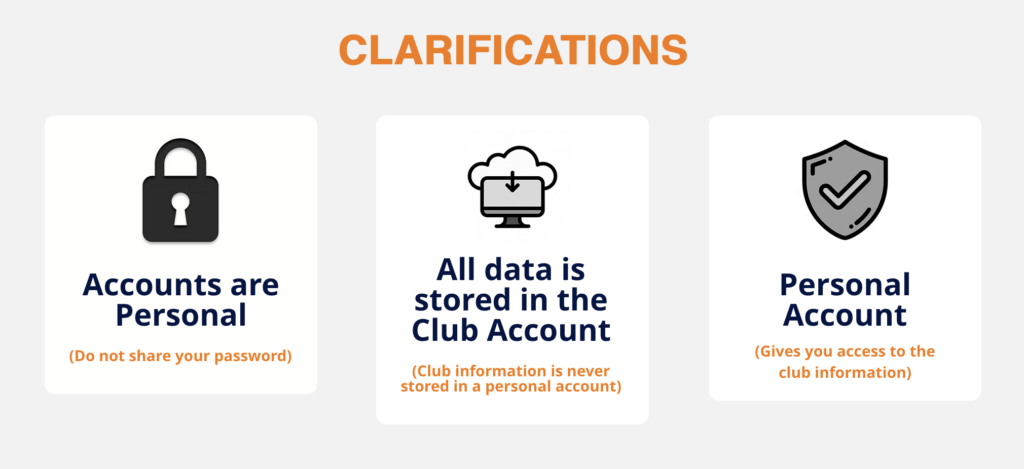
- After requesting your YMMS account it needs to be approved by the Conference before you can login. If you try to login right away it is going to say that your account can not be found. Do not create another one, just email us and we will approve it. (youth@wc.npuc.org)
- In order for any member older than 18 to be registered on YMMS, they must first complete the Sterling Volunteer process (Training Module and Background Check approved).
- Sólo los Directores, Subdirectores o Secretarios de Club están autorizados a tener usuarios para acceder/realizar cambios en la cuenta de YMMS.
- Luego de solicitar su cuenta de YMMS, la misma necesita ser aprobada por la Conferencia antes de que pueda iniciar sesión. Si intentas acceder inmediatamente tu cuenta no puedá ser encontrada. No crees otra, envíanos un email y la aprobaremos. (youth@wc.npuc.org)
- Para registrar miembros mayor de 18 años en YMMS, primero debe completar el proceso de Sterling Volunteer (Módulo de Formación y Verificación de Antecedentes aprobada).
What to do while I wait for my account to be activated?
- Make sure ALL your staff is properly background checked through Sterling Volunteer
- Pre-plan your club year (meetings/events/special Sabbath programs) and get dates church board approved
¿Qué hacer mientras espero a que se active mi cuenta?
- Asegúrese de que TODO su personal esté debidamente verificado a través de Sterling Volunteer
- Planifique con anticipación el año de su club (reuniones/eventos/programas especiales del Sábado) y obtenga la aprobación de la junta de la Iglesia para todas las fechas.
PLEASE NOTE
Adventist Screening Verification or Sterling Volunteers does not give, report, or share any information to government agencies.
Background Checks are only done by looking at historical public information and does not alert government agencies to the names, whereabouts, or any identifying information of those that may be in the US without proper documentation.
TENGA EN CUENTA
Adventist Screening Verification o Sterling Volunteers no da, reporta, o comparte ninguna información a agencias gubernamentales.
Las Verificaciones de Antecedentes sólo se hacen mirando la información pública histórica y no alerta a las agencias del gobierno sobre los nombres, paradero, o cualquier información de identificación de aquellos que pueden estar en los EE.UU. sin la documentación apropiada.